16 Levels
The MPC workflow.
Inside of Ableton Live.
I wanted to sample straight from a record, put it on pads, and start making a beat without leaving Ableton.
So I built 16 LEVELS.
A complete sampling instrument based on the MPC 2000XL and 3000 workflow. Record, chop, program, sequence, and arrange from one place. Everything works inside Live, with its own sequencer, mixer, transport, and sample editor.
No separate application. No moving samples between instruments.
From the record
to the beat.
Record from any Live input. Audition the sample before keeping it. Trim it, loop it, chop it into zones, or assign it directly to a pad.
Set your levels, envelopes, tuning, filters, and mute groups. Build programs the way you would on an MPC.
Then press record.
The sequencer follows the classic workflow: Timing Correct, swing, overdub, step editing, Note Repeat, and hold-to-erase.
Build sequences, arrange songs, and move your work into Ableton when you’re ready.
Sample first. Make music.
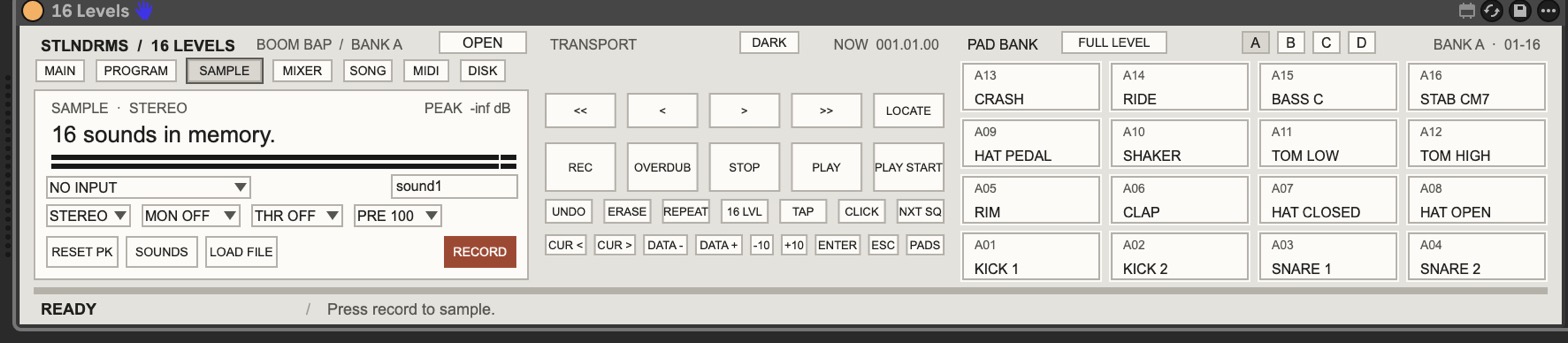
It lives in the track.
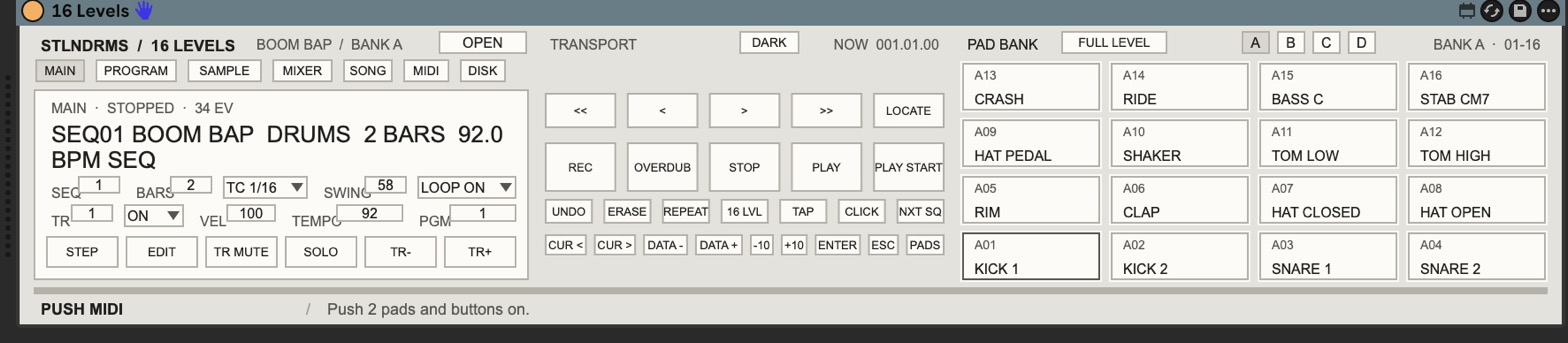
16 LEVELS sits in Ableton’s device panel like a native Ableton instrument.
Every page, every pad, and the entire transport are available right there.
Open the full window and you get the same instrument with more room to work. Both views stay synchronized. Neither is a stripped-down version.
Live handles the clock, tracks, and routing. 16 LEVELS handles the sampling and sequencing.
Eight individual outputs let you send sounds to separate Live tracks while retaining the instrument’s stereo mix.
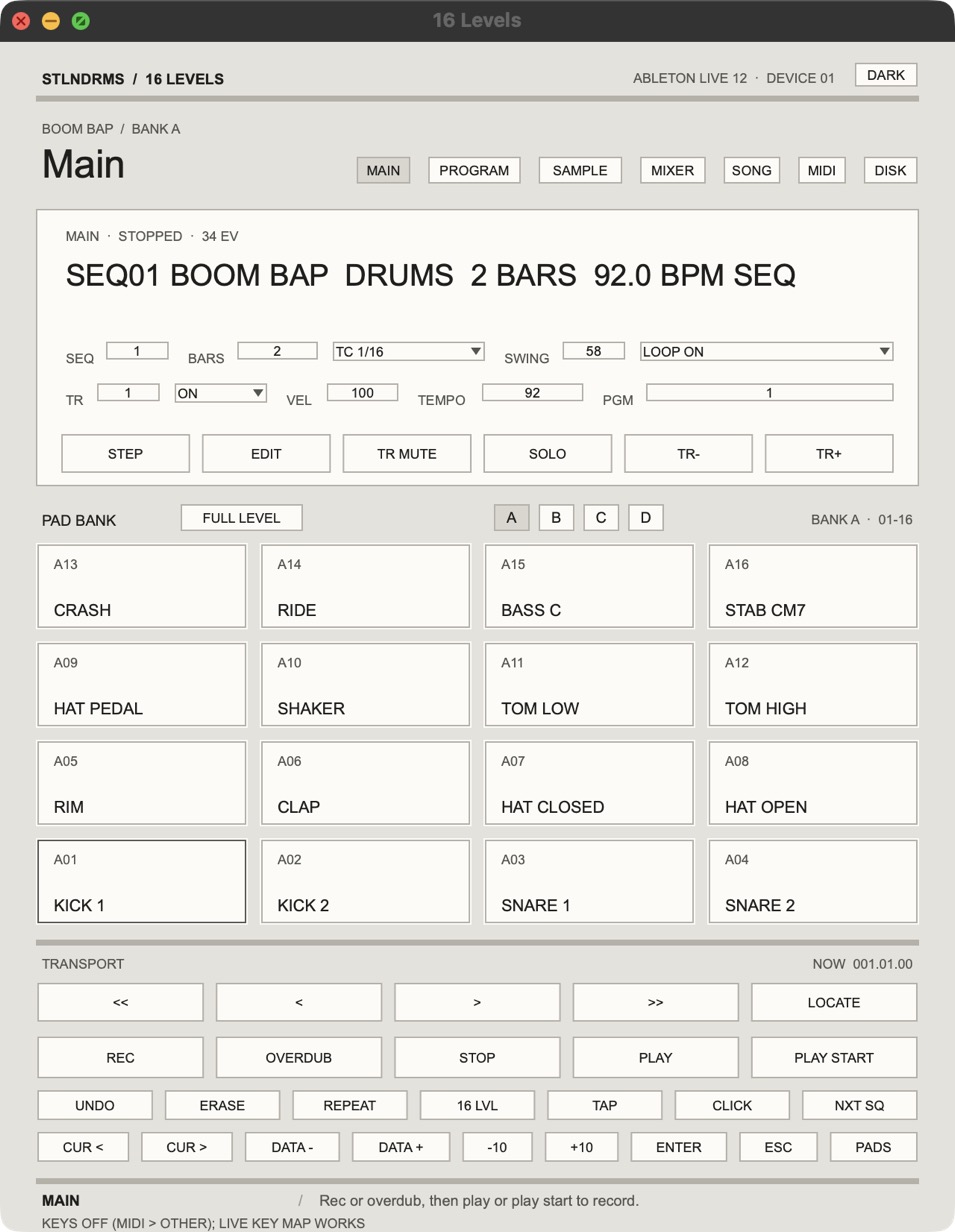
Everything in its place.
Four banks of sixteen. Full Level, 16 Levels, Note Variation, and Note Repeat.
64 tracks per sequence. 96 ticks per beat. Timing Correct and swing from 50–75%.
Independent pad settings, layers, velocity switching, filters, envelopes, and mute groups.
Arrange sequences with repeats. Convert songs into sequences or export them to Live as MIDI clips.
Separate sounds onto Live tracks, plus a stereo mix.
Your old beats load.
Bring your MPC 2000XL projects into Ableton.
Load your programs, sounds, sequences, and songs from your existing XL files.
And when you want to go back to the hardware, save them back out.
Your old work doesn’t have to stay on your old machine.
The panel on your Push or Maschine.

Connect an Ableton Push 2 and use its screen, pads, soft keys, and buttons to operate 16 LEVELS.
All four banks are available across the 64 pads. The controls follow the instrument, including the held-button behavior of the original MPC workflow.
Or a Maschine.
Connect a Maschine MK3, or a Maschine+ in controller mode. The left screen shows the instrument, the right screen shows the 16 pads of the bank you’re on.
The page buttons sit above the screens, the soft keys are taps on the knobs, and REC, ERASE and NOTE REPEAT are real holds. The touch strip works as a data slider. With SHIFT held it’s the Note Variation slider.
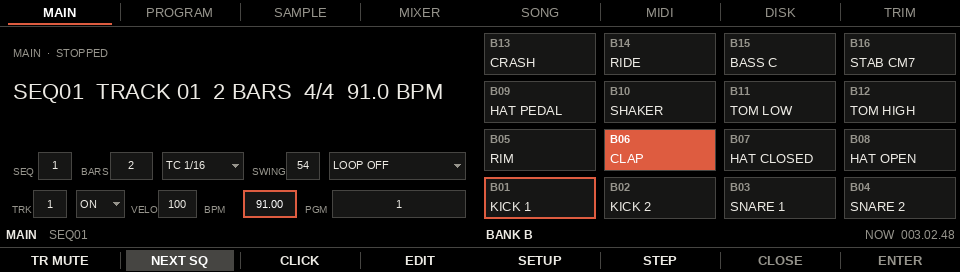
Have one on your desk? Get going in a few minutes: Quick start with a Push 2 or Quick start with a Maschine.
No Push or Maschine? No problem.
Use any MIDI pad controller or play directly from your computer keyboard. The transport, banks, soft keys, and performance functions have keyboard shortcuts.
Work with the hardware you already have.
Made to make music.
16 LEVELS started as something I wanted in my own studio.
It’s now ready for a small group of producers to put it through its paces.
The beta is free, with friends and Sidechain Society members getting the first builds.
Use it. Make something. Tell me what works, what doesn’t, and what gets in the way.
Ableton Live 12 Suite, or Live 12 Standard with Max for Live.
Mac required for the current beta.
A MIDI controller, Push 2, or Maschine MK3 or Maschine+ is optional.
[PRICE AT LAUNCH]. Free for the beta team.